How to Create Your Own Manga Using AI (ChatGPT, Gemini, Grok)
How to Create Your Own Manga Using AI (ChatGPT, Gemini, Grok)
A year ago, creating manga required years of drawing practice, expensive software, and a lot of patience. Today, you can create professional-looking manga panels using AI tools that anyone can access.
This is not a joke and it is not low quality. Look at these panels -- all generated by AI:
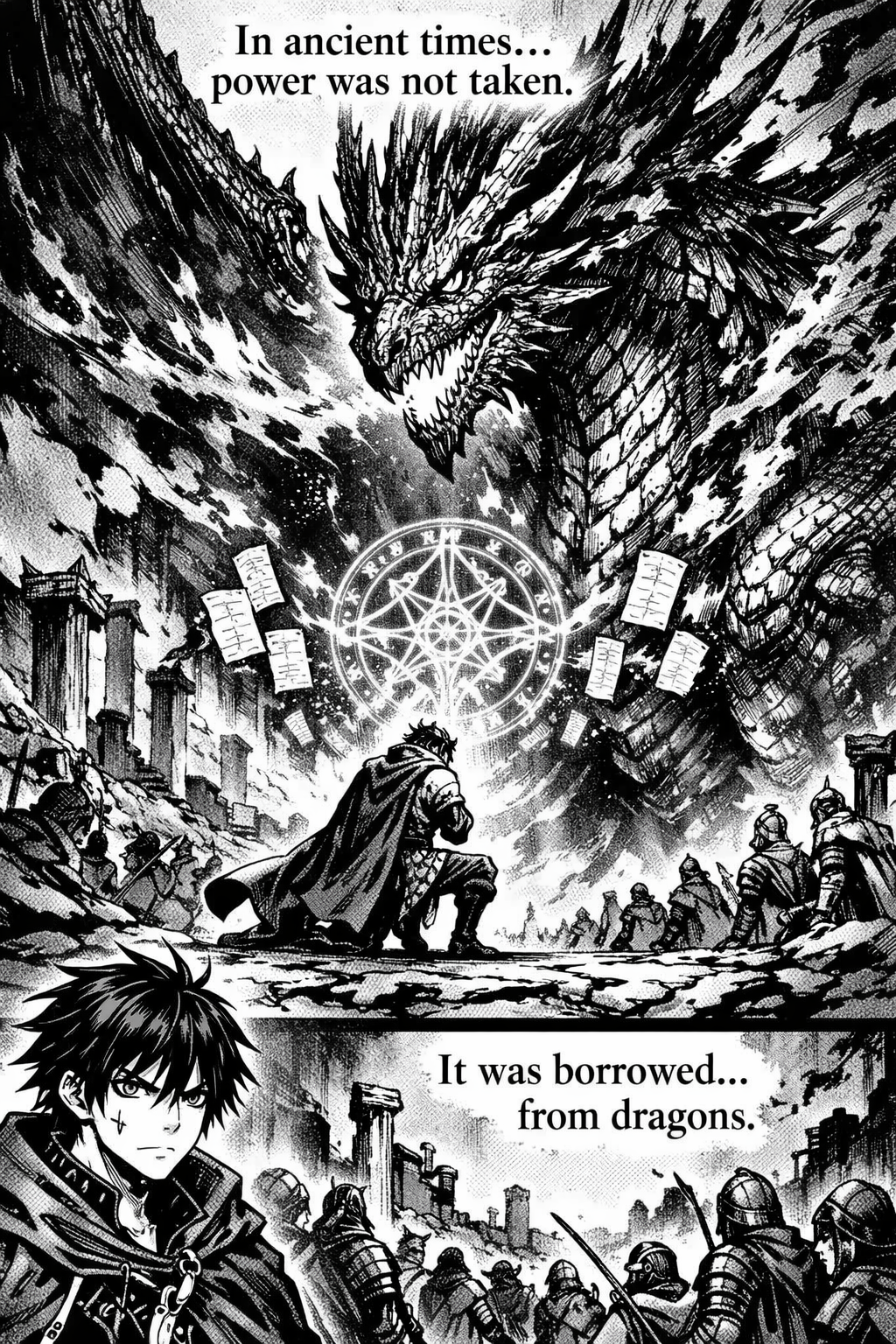
This manga panel was generated using ChatGPT (DALL-E). Notice the multi-panel layout with speech bubbles, detailed character expressions, and consistent dark manga style.
That panel above? Generated by ChatGPT using DALL-E. It created a full multi-panel manga page with speech bubbles, detailed character art, and a dark fantasy atmosphere -- all from a text prompt.
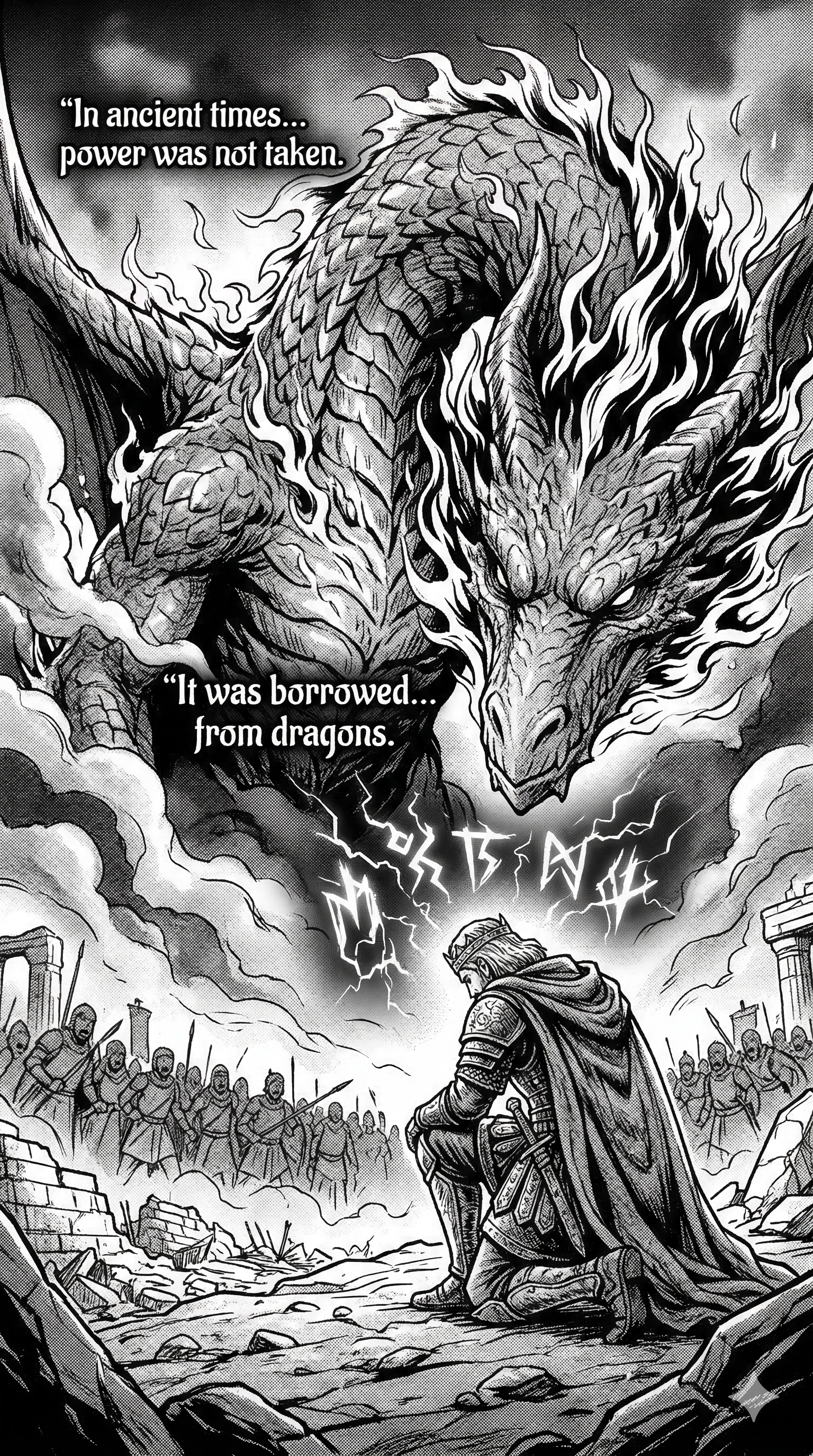
This manga panel was generated using Gemini. The dramatic composition shows a knight facing a massive dragon with army soldiers in the background -- cinematic and detailed.
This one was made with Gemini. The scale and drama are incredible -- a lone knight facing a massive dragon with an army behind him. The composition feels like it came from a professional manga artist.
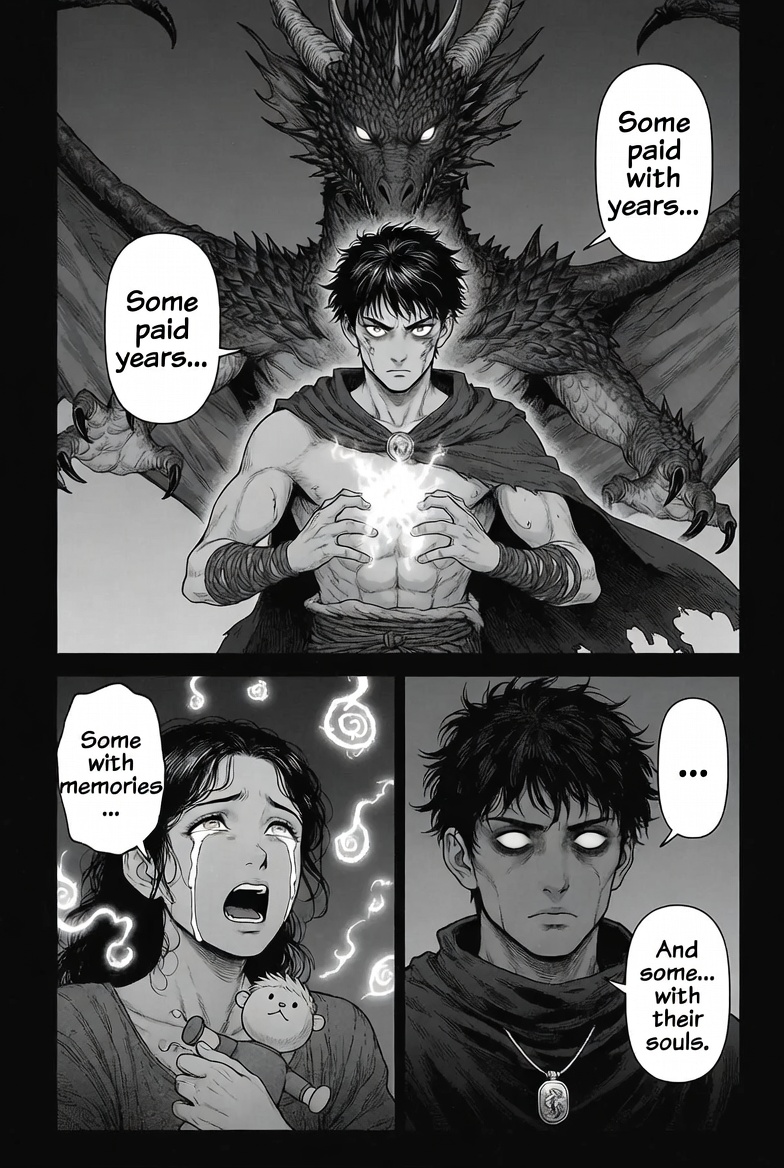
This manga panel was generated using Grok. It features a similar dragon scene but with a different art style -- notice the magic circle, the detailed army, and the two-panel layout with dialogue.
And this one? Grok generated it. Different style, equally impressive. Notice the magic circle, the detailed crowd of soldiers, and the two-panel layout with dialogue text baked right in.
Three different AI tools. Three different styles. All of them good enough to publish.
Which AI Tool Should You Use?
Each tool has different strengths. Here is an honest breakdown:
Grok (by xAI)
- •Speed: Fastest of the three. Generates images almost instantly.
- •Cost: Offers some free image generations on X (Twitter). Premium subscription gives unlimited access.
- •Style: Produces bold, high-contrast manga art with strong linework. Great at dramatic compositions.
- •Best for: Quick generation, experimenting with different styles, dark and action-heavy scenes.
ChatGPT (with DALL-E)
- •Speed: Moderate. Takes about 15-30 seconds per image.
- •Cost: Cheapest paid option at $20/month for ChatGPT Plus. Free tier has limited image generations.
- •Style: Excellent at multi-panel layouts and consistent character design. Handles speech bubbles well.
- •Best for: Full manga page layouts, scripting + image generation in one tool, consistent series production.
Gemini (by Google)
- •Speed: Slowest of the three. Can take up to a minute for complex scenes.
- •Cost: Requires Google One AI Premium ($20/month) for the best image generation. Some free generations available.
- •Style: Produces the most detailed and painterly manga art. Excellent at large-scale dramatic scenes.
- •Best for: Splash pages, detailed backgrounds, cinematic compositions, high-quality single panels.
Step-by-Step: How to Create a Manga Series
Step 1: Write Your Story Script
Before generating any images, you need a script. This is where ChatGPT or Claude shine as writing assistants.
Here is a prompt that works great for manga scripting:
> I want to create a dark fantasy manga about a young warrior who makes a deal with a dragon to gain power, but must sacrifice something precious in return. Write me a script for Chapter 1 (5 pages, 3-4 panels per page). For each panel, describe: 1) The visual scene in detail, 2) Character expressions, 3) Dialogue in speech bubbles, 4) Any sound effects.
ChatGPT will give you a detailed panel-by-panel script that you can use directly as prompts for image generation.
Step 2: Generate Your Panels
Take each panel description from your script and feed it to your chosen AI tool. Here are some tips for better results:
For manga-style output, always include these in your prompt:
- •"manga style, black and white"
- •"high contrast, detailed linework"
- •"Japanese manga panel layout"
- •Specify the camera angle: "close-up", "wide shot", "bird's eye view"
- •Describe the mood: "dramatic lighting", "dark atmosphere", "emotional scene"
Example prompt:
> Manga panel, black and white, a young warrior with spiky hair standing before a massive dragon in a destroyed city. The dragon's eye is glowing. The warrior has his fist clenched with magical energy flowing around it. Dramatic low angle shot, heavy shadows, detailed manga art style. Speech bubble says "I accept your deal."
Step 3: Arrange Your Pages
Once you have your panels, you need to arrange them into proper manga pages. You can use:
- •Canva (free) -- drag and drop panels into manga page templates
- •Photoshop or GIMP (free) -- more control over layout
- •Clip Studio Paint -- the industry standard for manga, has manga panel templates built in
- •Medibang Paint (free) -- specifically designed for manga and comics
Add speech bubbles, sound effects, and page numbers at this stage if the AI did not include them.
Step 4: Keep Characters Consistent
The biggest challenge with AI manga is character consistency. Your main character might look slightly different in every panel. Here are some tricks:
- •Describe your character the same way every time. Create a character description you copy-paste into every prompt. Example: "young male warrior, spiky black hair, scar on left cheek, leather armor with dragon emblem, age 18"
- •Use the same AI tool for the whole chapter. Mixing tools means mixing styles.
- •Generate multiple versions and pick the most consistent ones.
- •Use image-to-image features (where available) by feeding a previous panel as reference.
Step 5: Publish Your Manga
Once your chapter is complete, you can publish it for free on several platforms:
- •Webtoon Canvas -- the largest platform for independent webcomics. Free to publish, millions of potential readers. Vertical scroll format works great for AI manga.
- •Tapas -- another major platform with a supportive indie community.
- •Manga Plus Creators -- Shueisha's platform for indie manga creators.
- •GlobalComix -- growing platform that supports multiple comic formats.
- •Your own website -- if you want full control, publish chapters on your own site.
Important: Most platforms require you to disclose if AI was used in creation. Be transparent about your process -- readers actually find the AI creation process interesting.
Cost Comparison
| Tool | Monthly Cost | Free Tier | Speed | Best For |
|---|---|---|---|---|
| Grok | X Premium ($8-16/mo) | Some free generations | Fastest | Quick panels, experimenting |
| ChatGPT | Plus ($20/mo) | Very limited | Moderate | Scripts + images, page layouts |
| Gemini | AI Premium ($20/mo) | Some free generations | Slowest | Detailed splash pages |
Cheapest approach: Use ChatGPT for scripting (free tier works fine for text), Grok for image generation (free tier on X), and Canva (free) for page layout.
Best quality approach: Use ChatGPT Plus for both scripting and image generation. The consistency of staying in one tool is worth the $20/month.
Tips for Better AI Manga
- 1Write detailed panel descriptions. The more specific your prompt, the better the result. Do not just say "fight scene" -- describe the exact pose, angle, expression, and atmosphere.
- 1Generate more than you need. For every panel you use, generate at least 3-5 variations and pick the best one. AI output is inconsistent, so quantity leads to quality.
- 1Edit after generating. Use a free image editor to fix small issues, add text, adjust contrast, or crop panels. AI gives you 80% -- you polish the last 20%.
- 1Study real manga for composition. Look at how professional manga artists arrange panels, use speed lines, and frame action. Then describe those techniques in your prompts.
- 1Start with one-shots. Before committing to a series, create a single standalone chapter (8-12 pages) to test your workflow and see if you enjoy the process.
The Bottom Line
You do not need to know how to draw to create manga anymore. The AI tools available right now can produce panels that would have required years of artistic training just two years ago.
Is it the same as hand-drawn manga by a skilled artist? No. But it is good enough to tell a compelling story, build an audience, and have fun creating something you are proud of.
The real skill now is storytelling -- writing a great script, choosing the right compositions, and editing your pages into something that flows. The drawing part? AI has that covered.
Start with a short story, generate some panels, and see what happens. You might surprise yourself.