How to Create QR Codes for Anything: The Complete Free Guide (2026)
How to Create QR Codes for Anything: The Complete Free Guide (2026)
QR codes went from "that weird square thing nobody scans" to absolutely everywhere. Restaurant menus, business cards, event tickets, Wi-Fi passwords, payment links -- if it has a URL or data behind it, there is probably a QR code for it.
The good news: creating QR codes is free, instant, and easier than you think. Here is how to make them for every use case.
What Is a QR Code?
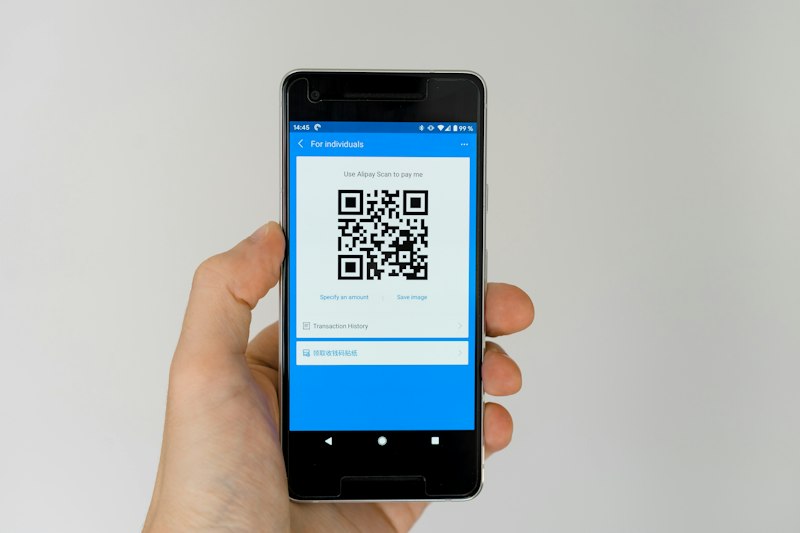
QR code displayed on a smartphone screen being scanned, with a restaurant menu appearing as the result
A QR (Quick Response) code is a two-dimensional barcode that stores data -- usually a URL, but also text, WiFi credentials, contact information, and more. Any smartphone camera can read one instantly.
Why QR codes are so popular in 2026:
- •Contactless everything -- menus, tickets, payments, check-ins
- •Instant sharing -- faster than spelling out a URL or WiFi password
- •Trackable -- businesses can track how many people scan their codes
- •Universal -- every smartphone has a built-in QR scanner (no app needed)
- •Free to create -- no licensing or fees required
How to Create a QR Code (Step by Step)
Using Our Free QR Code Generator
The fastest way is our free QR Code Generator tool. Here is how:
- 1Go to freeapexgears.com/tools/qr-generator
- 2Select the type -- URL, Text, WiFi, Email, or Phone
- 3Enter your data -- paste a URL, type your WiFi password, etc.
- 4Customize -- change colors, adjust size, set error correction level
- 5Download -- save as PNG (for printing/sharing) or SVG (for scaling)
No sign-up. No watermark. No limits. The QR code generates live as you type.
QR Codes for Every Use Case
1. Website URL
The most common use. Turn any URL into a scannable code.
Best for:
- •Business cards (link to your website or portfolio)
- •Product packaging (link to instructions or reviews)
- •Print ads (link to landing pages)
- •Social media profiles
Pro tip: Use a URL shortener (like bit.ly) if you want to track how many people scan the code.
2. WiFi Network
Share your WiFi password without typing it. The QR code contains your network name, password, and encryption type. When someone scans it, their phone automatically connects.
How the data is formatted:
| Field | Example |
| --- | --- |
| Network Name (SSID) | MyHomeWiFi |
| Password | sup3rS3cur3! |
| Encryption | WPA/WPA2 |
Best for:
- •Home WiFi (frame it and hang near the router)
- •Office guest WiFi
- •Airbnb/hotel rooms
- •Cafes and restaurants
3. Email
Create a QR code that opens the user's email app with a pre-filled recipient, subject, and body.
Best for:
- •Feedback forms ("Scan to email us your feedback")
- •Support requests
- •Event RSVPs
4. Phone Number
Scanning the QR code opens the dialer with the number pre-filled.
Best for:
- •Business cards
- •Emergency contact info
- •Customer service numbers
- •Real estate signs ("Call to schedule a viewing")
5. Plain Text
Store any text up to ~4,000 characters in a QR code.
Best for:
- •Event details
- •Instructions or recipes
- •Inspirational quotes (for art installations)
- •Secret messages (fun for scavenger hunts)
QR Code Design Tips

Collection of custom-designed QR codes with different colors, logos, and styles arranged in a grid
Color Contrast Matters
- •Dark foreground on light background always works best
- •The foreground should be at least 40% darker than the background
- •Avoid red-on-green or blue-on-orange (color-blind unfriendly)
- •Black on white is the safest choice for maximum scan reliability
Size Guidelines
| Usage | Minimum Size | Recommended Size |
| --- | --- | --- |
| Business card | 2 cm x 2 cm | 2.5 cm x 2.5 cm |
| Flyer or poster | 3 cm x 3 cm | 5 cm x 5 cm |
| Billboard | Based on viewing distance | 1/10th of viewing distance |
| Screen display | 200 x 200 px | 300 x 300 px |
| Social media | 300 x 300 px | 400 x 400 px |
Error Correction Levels
QR codes have built-in redundancy. Higher error correction means the code still works even if part of it is damaged or obscured.
| Level | Redundancy | When to Use |
| --- | --- | --- |
| L (Low) | 7% | Digital use, clean conditions |
| M (Medium) | 15% | General purpose (default) |
| Q (Quartile) | 25% | Printed materials that might get worn |
| H (High) | 30% | If adding a logo in the center |
If you want to put a logo in the center of your QR code, use High (H) error correction. The logo covers part of the code, so you need maximum redundancy.
Common Mistakes to Avoid
- 1Making it too small. If the QR code is smaller than 2 cm, most phone cameras will struggle to scan it from a normal distance.
- 1Low contrast colors. Light gray on white? Nobody is scanning that. Keep the contrast high.
- 1Linking to a non-mobile-friendly page. People scan QR codes with phones. If the destination page looks terrible on mobile, you have lost them.
- 1No call to action. A QR code by itself does not tell people what they get by scanning. Add text like "Scan for free WiFi" or "Scan to view the menu."
- 1Not testing before printing. Always scan your QR code with at least two different phones before printing 10,000 flyers.
Where to Use QR Codes (Ideas)
For Business
- •Business cards linking to your LinkedIn or portfolio
- •Restaurant menus (replace paper menus)
- •Product packaging linking to tutorials or reviews
- •Event check-in and ticketing
- •Payment links (PayPal, Venmo, UPI)
For Personal Use
- •WiFi password sharing for guests
- •Wedding invitations linking to RSVP page
- •Moving boxes labeled with QR codes listing contents
- •Pet ID tags linking to your contact info
- •Sharing your phone number without speaking it
For Education
- •Classroom materials linking to supplemental videos
- •Library books linking to audiobook versions
- •Scavenger hunts with clues encoded in QR codes
- •Homework submissions via QR-linked forms
Ready to Create Your QR Code?
Open our free QR Code Generator -- no sign-up, no watermark, no limits. Generate QR codes for URLs, WiFi, email, phone, and text. Customize colors and download as PNG or SVG.
Looking for more free tools? Check out our complete tools page for image compression, JSON formatting, video editing, and more.